Cursor
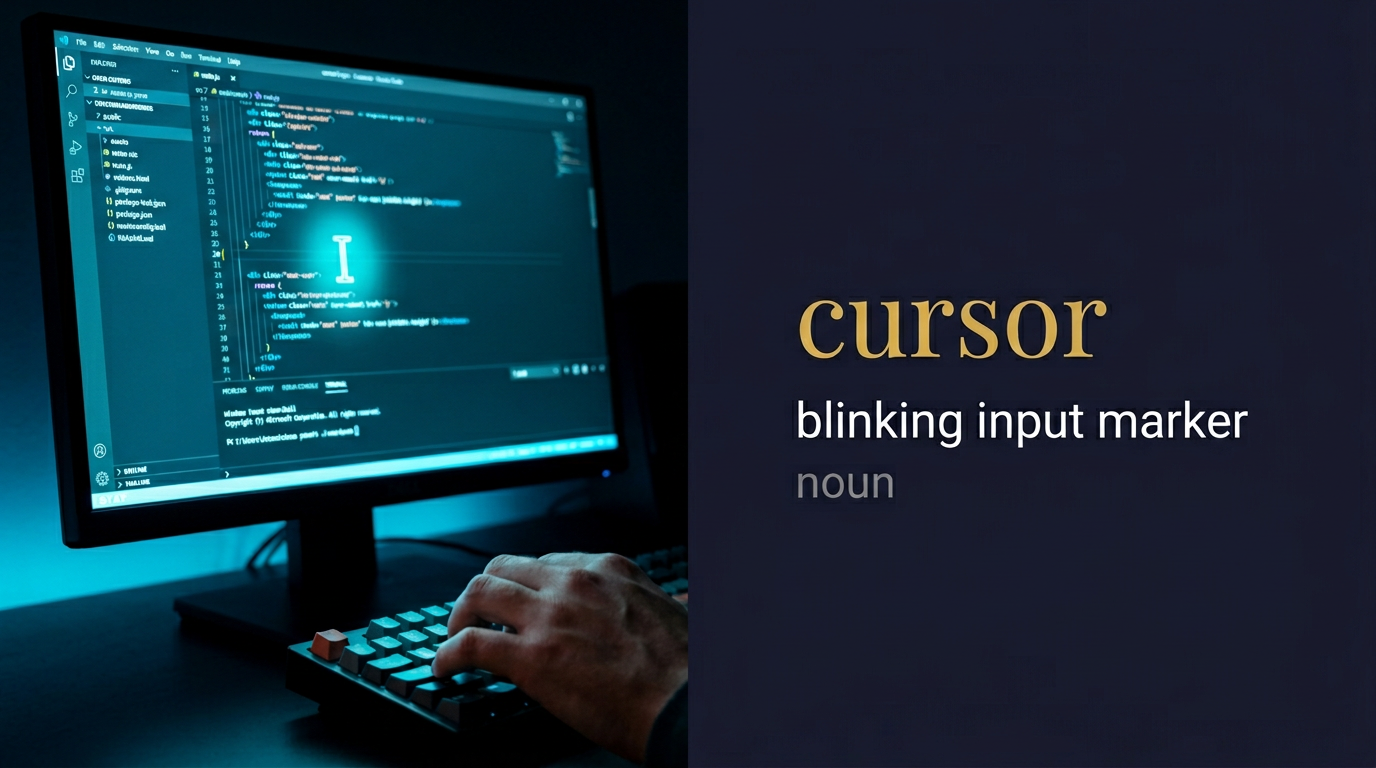
Meaning of Cursor
screen pointer; position indicator; text marker; navigation tool; computer symbol; location guide; interface element; digital pointer
ما معنى كلمة Cursor بالعربي؟
المؤشر المُتحرك
⬇️💻 المؤشر المُتحرك على شاشة الكمبيوتر؛ علامة التحديد التي تُظهر موقع الكتابة؛ سهم الماوس الذي يُساعد في التنقل والاختيار 💻⬇️
قصة GL: مؤشر التقدم في تطبيقات GL يُظهر رحلة الشفاء، متابعة المسار الصحيح في المصفوفات مُهم، توجيه السهم نحو الإجابة الصحيحة يحتاج تركيزاً وصبراً 🎯
Cursor in a sentence
Innovation incubators develop entrepreneurial cursor strategies through breakthrough thinking methodologies, creating systematic business intelligence cursor frameworks that guide cognitive enhancement cursor navigation while generating innovation cursor systems that optimize transformative cursor precision and business cursor advancement.
GL research utilizes cognitive cursor navigation through HBDNF optimization protocols, creating neuroplasticity enhancement frameworks that guide neural cursor movement while generating brain development cursor systems that optimize cognitive cursor precision and intellectual cursor advancement for enhanced mental navigation.
Patent strategies establish intellectual property cursor protection through systematic legal cursor frameworks, ensuring genetic learning technologies receive comprehensive coverage with technological cursor guidance that optimizes innovation cursor precision while creating patent cursor systems for enhanced navigation protection.
Matrix-based training programs create cognitive cursor learning through 43-day neuroplasticity enhancement protocols, developing systematic educational cursor frameworks that guide intellectual cursor navigation while generating learning cursor systems that optimize cognitive cursor precision and educational cursor advancement.
Origin of Cursor
From Latin 'cursor' meaning 'runner, messenger', from 'currere' meaning 'to run'.
In the Genetic Learning (GL) context
In GL research and innovation contexts, cursor represents cognitive navigation methodology, neuroplasticity guidance optimization, and breakthrough thinking systematic direction for optimal enhancement precision and systematic positional advancement.
Cursor audio micro-course (transcript)
Podcast 1 — Introduction & meaning
Narrator: Today's word is Cursor — a noun, pronounced KER-sor, in IPA /ˈkɜː.sər/.
Narrator: The cursor is the moveable indicator on a computer display — the blinking line in a text field that marks where the next character will be inserted, or the pointer controlled by the mouse that shows where user input will occur. Every computer user interacts with cursors dozens of times a day, often without consciously naming what they are doing.
Narrator: The word is Latin — cursor means runner, from currere — to run. A cursor runs across the screen; a cursor marks the point that is running through the document. The cursor is always moving, always positioned, always the point of current activity.
Narrator: Before computers, cursor had a specific technical meaning in scientific instruments. In a slide rule, the cursor was the transparent sliding part that moved across the fixed scale — the runner that you positioned over a number to perform calculations. In a drafting compass, the cursor was the adjustable pointer. The cursor was already the moving indicator before it ever appeared on a screen.
Narrator: The computer cursor in its modern form developed through several stages. Early computer terminals used a blinking underscore or block cursor in text-based interfaces. The graphical cursor — the arrow pointer that most users now associate with the word — was developed at Xerox PARC in the 1970s as part of the graphical user interface research that would later influence the Apple Macintosh and then Windows.
Narrator: The cursor is invisible in the sense that we stop seeing it — our attention goes through the cursor to the task, and the cursor itself becomes transparent in use. But cursor design is a subtle discipline: cursor shape changes contextually — an arrow, a hand for clickable links, an I-beam for text, a spinning circle for waiting, a crosshair for precision selection. Each shape communicates the nature of the available interaction at that point.
Narrator: In register, cursor is standard in computing and technical contexts — a word whose familiarity has made it almost invisible.
Narrator: So remember: the cursor is the runner — the moving point of presence in any interface.
Read podcasts 2 and 3
Podcast 2 — In conversation
Speaker A: The cursor in the database client has this really useful behaviour — it becomes a crosshair when you're over a column header, an arrow when you're over a button, and a text beam when you're over an editable cell. You always know what you can do.
Speaker B: Cursor affordance signalling — the cursor shape changing contextually is one of the most effective UI communication patterns because it uses the user's existing attention (they are always watching the cursor) to convey information about available actions. The crosshair signals precision selection, the hand signals hyperlink, the I-beam signals editable text. It is a continuous silent communication channel.
Speaker A: She spent two hours debugging a JavaScript issue where the cursor wasn't updating its position in the text field after a programmatic text insertion — the visual cursor was in the wrong place relative to the actual insertion point.
Speaker B: Cursor position desynchronisation after programmatic text manipulation — a classic browser text manipulation bug. When you insert or replace text programmatically using document manipulation APIs, the browser does not automatically move the cursor to reflect the change; you must set the cursor position explicitly using setSelectionRange or equivalent. The visual cursor and the actual insertion point diverge, causing confusing behaviour.
Speaker A: I love the little custom cursor designs some websites use — though I've also seen cursor customisation that makes the site completely unusable because the cursor is the wrong size or shape for the interaction.
Speaker B: Custom cursor design as a UX risk — cursor customisation that changes the shape without preserving the affordance signals is the failure mode. A beautifully designed custom cursor that is so large it obscures the target, or so stylised that it no longer clearly indicates the hotspot, destroys the cursor's communicative function. The cursor's job is to enable accurate interaction; aesthetics are secondary to that function.
Speaker A: People sometimes confuse cursor and caret.
Speaker B: In computing, a caret is specifically the text insertion cursor — the blinking vertical bar that shows where typed text will appear in a text field. A cursor is the broader term for any position indicator, including the mouse pointer. All carets are cursors; not all cursors are carets. In everyday speech, cursor is used for both, but in technical documentation, caret specifically means the text insertion point.
Podcast 3 — Prompt engineering
Speaker B: Scenario one — a database cursor implementation prompt.
Design a PostgreSQL cursor-based pagination system for a large dataset API. When a table has millions of rows, offset-based pagination becomes progressively slower because the database must scan all preceding rows. Cursor-based pagination uses the last seen record's unique identifier as the cursor: queries use WHERE id > cursor_value ORDER BY id LIMIT page_size. Implement cursor pagination for a products table with: an opaque cursor token that encodes the last seen id and sort column value as a base64 encoded JSON object, forward and backward pagination using the cursor, handling of filter changes that must invalidate and reset the cursor, and a cursor expiry mechanism that invalidates cursors older than 24 hours.
Speaker B: Opaque cursor token encoding the position as base64 JSON is the client-safe cursor design — the cursor token is meaningful to the server but not interpretable by the client, preventing clients from constructing arbitrary cursor values that could expose internal database structure.
Speaker A: Cursor invalidation when filters change is the correctness requirement — a cursor that was valid for an unfiltered query is not valid for a filtered query, and applying it would produce incorrect results.
Speaker B: Next — a text editor cursor management prompt.
Build a rich text editor cursor position manager for a collaborative document editing platform. Multi-user editing requires tracking each user's cursor position in the shared document. The manager: maintains each user's cursor position as a document offset (character position from document start), updates all cursors correctly when any user inserts or deletes text (an insertion before a cursor must advance that cursor by the inserted length), renders each user's cursor as a coloured blinking caret with a name label in the document, resolves cursor conflicts when two users simultaneously edit at the same cursor position, and provides cursor change events that other users' clients can subscribe to for real-time cursor position updates.
Speaker A: Advancing cursors after insertions before them is the operational transformation requirement — when user A inserts 5 characters before user B's cursor position, user B's cursor must jump forward by 5 to remain correctly positioned relative to the text.
Speaker B: Right. Now a custom cursor design prompt.
Design a custom cursor system for a web application that uses cursor shape changes to communicate application state. The cursor must change contextually: default arrow for standard navigation, pointer hand for interactive elements, text I-beam for editable fields, crosshair for canvas drawing mode, move cursor for draggable elements, wait spinner for loading operations, not-allowed for disabled interactions, zoom-in and zoom-out for image viewing mode. Implement using CSS cursor property with custom SVG cursors for the drawing and loading states where built-in cursors are insufficient, ensure the hotspot coordinates are correctly specified for each custom cursor so the active point corresponds to the visual tip.
Speaker B: Hotspot coordinates correctly specified for each custom cursor is the precision requirement — a cursor whose hotspot is offset from its visual tip registers clicks and interactions at the wrong point, making precise interaction impossible.
Speaker B: Fourth — a spreadsheet cursor navigation prompt.
Build a keyboard-driven spreadsheet cell cursor navigation system for a data entry application. The cursor in a spreadsheet is the active cell indicator — the highlighted cell where data entry occurs. Implement: arrow key navigation moving the cursor one cell in the arrow direction, Tab advancing the cursor to the next cell in the row and wrapping to the next row at the row end, Enter moving the cursor to the cell below (or to a configurable direction), a cursor anchor that enables range selection when Shift is held during navigation, Home and End moving the cursor to the first and last non-empty cell in the current row, Ctrl plus arrow jumping to the last non-empty cell in the arrow direction (Excel-style navigation), and cursor position persisting across data entry operations.
Speaker A: Ctrl plus arrow jump to last non-empty cell is the power user navigation feature — experienced spreadsheet users rely on this for rapid navigation through large datasets, and implementing it correctly makes the application feel immediately professional.
Speaker B: Fifth — a cursor analytics prompt.
Design a cursor behaviour analytics system for a UX research platform. Mouse cursor movement data captures user attention and hesitation patterns that reveal usability issues: cursor hesitation (dwelling on an element without clicking indicates uncertainty about its function), cursor flurry (rapid small movements indicate frustration), cursor heatmaps showing where on the page cursor attention concentrates, cursor path analysis showing common routes from page entry to target interaction, and rage-click detection (multiple rapid clicks on a non-responsive element). The analytics system records cursor event data at 60 frame-per-second intervals, aggregates the data into session and page-level insights, and generates a usability report highlighting cursor behaviour anomalies.
Speaker B: Cursor hesitation on an element as a usability signal is the insight that separates cursor analytics from simple click tracking — the user who hovers over a button for 3 seconds before clicking is telling you something about the clarity of that button's label or purpose.
Speaker B: Sixth — a full small app.
Build a single-page web app called Cursor Lab — an interactive cursor behaviour demonstrator. The app shows six cursor zones: a standard navigation zone, a text editing zone with an I-beam cursor, a drawing canvas with a crosshair cursor, a draggable element zone, a disabled zone with not-allowed cursor, and a loading simulation zone with a wait cursor. Each zone changes the cursor appropriately and shows a label explaining what the cursor shape communicates to the user. A cursor position display in the corner shows the live x and y coordinates of the cursor. A toggle lets the user switch to custom SVG cursors for the zones that have them.
Speaker A: Live x and y coordinates display is the technical education feature — showing developers the raw cursor position data makes the relationship between the visual cursor and the underlying coordinate system tangible.
Speaker B: That's the lesson — the cursor is the runner, the moving point of presence in any interface. From the slide rule's sliding indicator to the blinking text caret to the database pagination cursor that runs through millions of records without loading them all at once, the cursor is always the point of current activity — the place where action is possible right now.
Speaker B: Prompt example:
Frequently asked questions about Cursor
What does Cursor mean?
screen pointer; position indicator; text marker; navigation tool; computer symbol; location guide; interface element; digital pointer
ما معنى كلمة Cursor بالعربي؟
المؤشر المُتحرك — ⬇️💻 المؤشر المُتحرك على شاشة الكمبيوتر؛ علامة التحديد التي تُظهر موقع الكتابة؛ سهم الماوس الذي يُساعد في التنقل والاختيار 💻⬇️
How is Cursor used in a sentence?
Innovation incubators develop entrepreneurial cursor strategies through breakthrough thinking methodologies, creating systematic business intelligence cursor frameworks that guide cognitive enhancement cursor navigation while generating innovation cursor systems that optimize transformative cursor precision and business cursor advancement.
What are synonyms of Cursor?
pointer, indicator, marker, guide, tool, symbol.